💡 Executive Summary: A complete technical guide to automating WiFi Hotspot voucher issuance for F&B and retail chains in 2026. Learn how administrators configure Partner API credentials on the IWAS Console and how developers integrate the REST API into POS software (KiotViet, iPOS, Toast, Odoo), CRM systems, and Loyalty mobile applications.
1. Why Modern F&B & Retail Chains Need Automated WiFi Voucher Minting in 2026
In high-density retail and dining environments, printed paper vouchers and manual password sharing cause significant operational friction: high printing expenses, staff negligence, stolen credentials, and unmanaged network congestion.
Integrating the IWAS Voucher Partner API directly into POS systems delivers four key strategic benefits:
- Frictionless Automation: Generates and prints unique high-speed WiFi access codes directly on receipts upon checkout or loyalty point redemption.
- Basket-Size Personalization: Grant 100% free high-tier bandwidth or bonus hours based on bill value or customer membership level.
- Enterprise Security: Protected by SHA-256 key hashing, PostgreSQL Serializable transactions, and automatic Idempotent Replaying to eliminate duplicate codes.
- Measurable Customer Retention: Track guest visit frequencies and return rates across multi-tenant branch locations in real time.
2. Generating Partner API Keys on the IWAS Admin Console (Administrator Guide)
To grant access to third-party POS vendors or technology partners, administrators follow a straightforward 3-step workflow:
- Log in to the IWAS Admin Console using an Owner or Admin account.
- From the sidebar navigation, navigate to "Vouchers" (/admin/vouchers).
- Switch to the "Partners & F&B" tab to view all existing integrated partner systems.
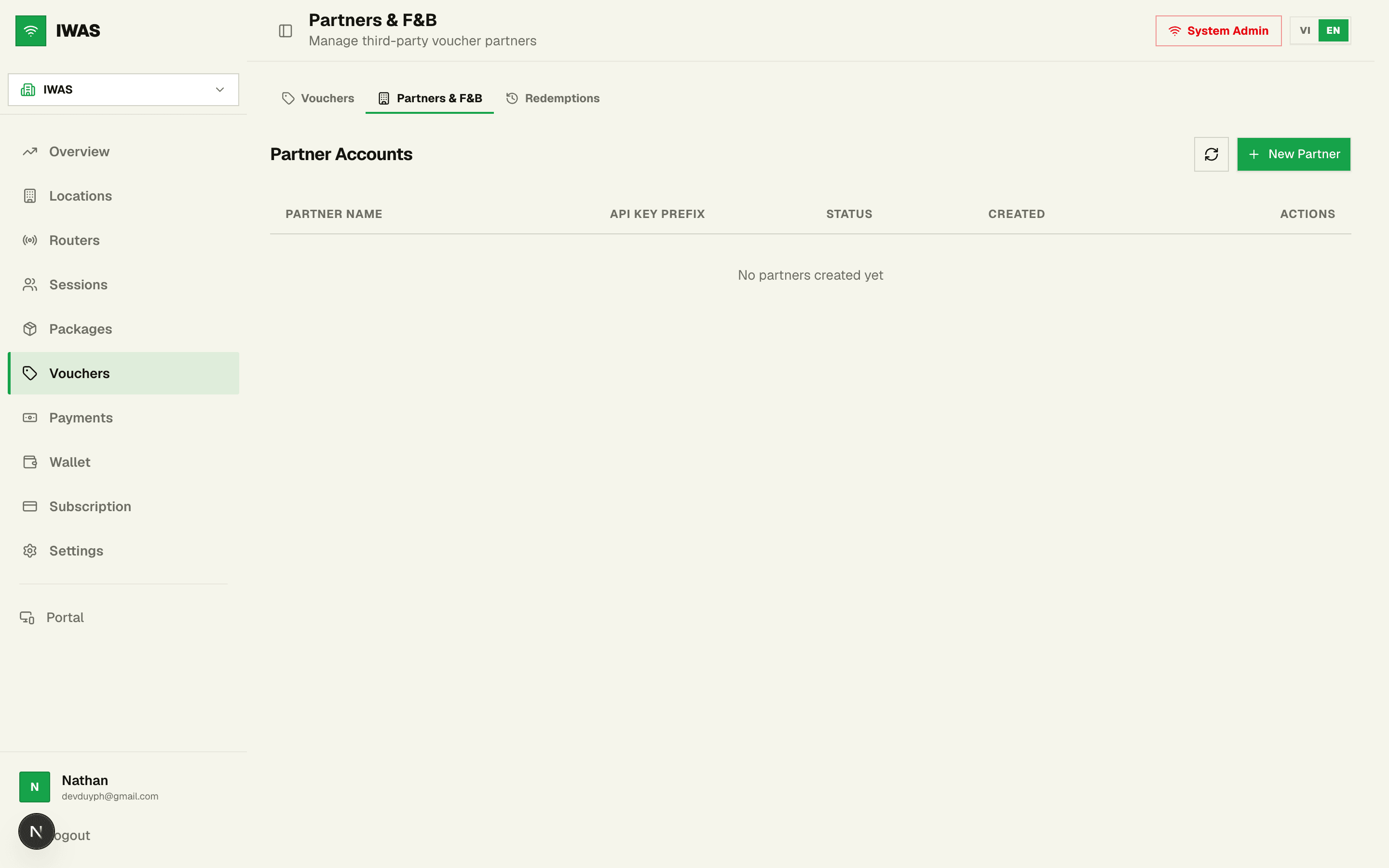
📸 Figure 1: IWAS Partner Management Console. Displays connected partner accounts, API key prefixes, operational statuses, and quick administrative controls.
- Click the "+ Add Partner" button located at the top-right corner of the table.
- Enter the partner identifier (e.g., "KiotViet POS - Cau Giay Branch" or "Mobile Loyalty App") and click "Create & Generate Key".
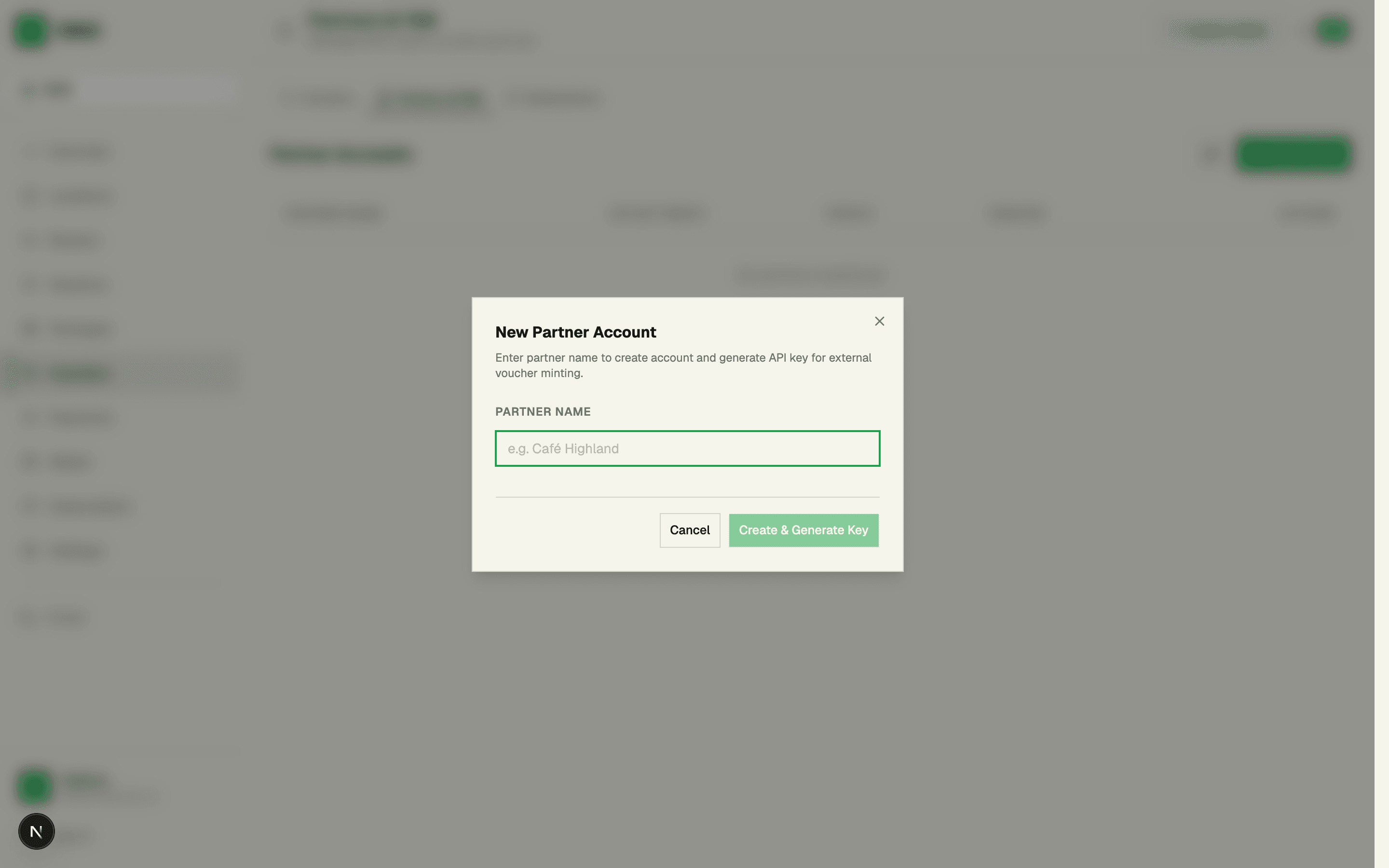
📸 Figure 2: Partner Creation Modal Dialog. The platform securely hashes and provisions a new secret API key in real time.
- Copy and securely dispatch the secret API Key: The system displays a token matching iwas_pk_xxxxxxxxxxxxxxxxxxxxxxxxxxxxxxxx. Copy this key immediately to share with the partner engineering team.
⚠️ Zero-Knowledge Security Policy: IWAS only stores the SHA-256 hash of API keys. The raw secret is revealed exactly once during generation. If misplaced, click "Rotate Key" to immediately void the old key and provision a fresh credential without disrupting previously issued vouchers.
3. Technical API Specifications & Authentication Scheme (Developer Guide)
- Production Endpoint: https://<your-iwas-domain>/api/partner/vouchers/issue
- HTTP Method: POST
- Authentication Header: x-partner-api-key: iwas_pk_xxxxxxxxxxxxxxxxxxxxxxxxxxxxxxxx (or Authorization: Bearer <key>)
- Content-Type: application/json
- Concurrency & Isolation: Handled under PostgreSQL SERIALIZABLE isolation to prevent race conditions during high-volume checkout rushes.
4. Request Payload Schema: Required, Optional & Conditional Fields
The JSON request body is organized into three distinct field categories:
🔴 Category 1: Mandatory Fields (Required)
- externalOrderId (string): REQUIRED. Unique invoice or receipt number from the POS system. Enforces Idempotency — replaying this ID returns original vouchers without duplicate minting or extra charges.
- quantity (number): REQUIRED. Total number of vouchers to mint (supported range: 1 to 50 per API call).
- type (string): REQUIRED. Must be either "percent" (percentage discount) or "fixed" (direct monetary discount).
- value (number): REQUIRED. Discount magnitude. Range: 1–100 for percent, or >= 0 for fixed currency deductions.
🟡 Category 2: Optional Configuration Fields
- maxDiscount (number | null): OPTIONAL. Upper monetary limit (VND) when type is "percent". Default: null (uncapped).
- scope (string): OPTIONAL. Value can be "all" (default - valid on any WiFi package) or "specific" (restricted to packageIds).
- validFrom (string ISO 8601): OPTIONAL. UTC activation timestamp. Default: null (active immediately upon creation).
- validTo (string ISO 8601): OPTIONAL. UTC expiration timestamp. Default: null (never expires until consumed).
- codes (string[]): OPTIONAL. Custom pre-allocated codes. Array length must strictly equal quantity. When omitted (recommended), IWAS generates secure random codes (e.g., K7HN-8PX2).
🔵 Category 3: Conditional Fields
- packageIds (number[]): CONDITIONAL. MANDATORY if scope is "specific". Array of Package IDs permitted for this voucher campaign. Omit when scope is "all".
Full Parameter Matrix Reference Table:
| Field Name | Type | Requirement | Validation Rules & Default | Description & Example |
|---|---|---|---|---|
| externalOrderId | string | 🔴 REQUIRED | Non-empty, unique string | POS invoice/order reference. Guarantees idempotent replays. E.g. "BILL-2026-001" |
| quantity | number (int) | 🔴 REQUIRED | Min: 1, Max: 50 | Number of voucher codes to mint in this request. E.g. 1 |
| type | string (enum) | 🔴 REQUIRED | "percent" | "fixed" |
| value | number | 🔴 REQUIRED | 1–100 for percent, >= 0 for fixed | Discount value. E.g. 100 (100% free), or 20000 (deduct 20,000 VND) |
| maxDiscount | number | null | 🟡 OPTIONAL | Default: null (uncapped) |
| scope | string (enum) | 🟡 OPTIONAL | "all" | "specific" (Default: "all") |
| packageIds | number[] | 🔵 CONDITIONAL | Mandatory if scope = "specific" | Array of Package IDs eligible for this voucher. E.g. [1, 2] |
| validFrom | string (ISO date) | 🟡 OPTIONAL | Default: null (active immediately) | Activation timestamp (UTC ISO 8601). E.g. "2026-09-12T00:00:00Z" |
| validTo | string (ISO date) | 🟡 OPTIONAL | Default: null (never expires) | Expiration timestamp (UTC ISO 8601). E.g. "2026-09-30T23:59:59Z" |
| codes | string[] | 🟡 OPTIONAL | Array length must equal quantity | Custom pre-defined codes (>= 4 chars). Omit to auto-generate XXXX-XXXX |
5. Production-Ready JSON Payload Examples
Example 1: Minimal Payload (Recommended for 90% of Standard Checkouts)
Best suited for standard scenarios where guests receive 100% complimentary high-speed WiFi with their order:
{
  "externalOrderId": "POS-BILL-2026-10023",
  "quantity": 1,
  "type": "percent",
  "value": 100
}
Example 2: Advanced Restricted Payload (Package Scope, Time Window & Discount Cap)
Ideal for targeted marketing campaigns: 50% discount capped at 30,000 VND, limited to 1-Day & 4-Hour packages during opening week:
{
  "externalOrderId": "POS-BILL-2026-10024",
  "quantity": 2,
  "type": "percent",
  "value": 50,
  "maxDiscount": 30000,
  "scope": "specific",
  "packageIds": [
    1,
    3
  ],
  "validFrom": "2026-09-12T00:00:00Z",
  "validTo": "2026-09-19T23:59:59Z"
}
6. Quick-Start cURL Terminal Command
Developers can immediately test the endpoint using the following cURL template:
curl -X POST "https://wifi.example.com/api/partner/vouchers/issue" \
  -H "Content-Type: application/json" \
  -H "x-partner-api-key: iwas_pk_your_partner_api_key_here" \
  -d '{
    "externalOrderId": "POS-BILL-2026-10023",
    "quantity": 1,
    "type": "percent",
    "value": 100
  }'
7. API Response & Concurrency Guarantee (Idempotent Replay)
Upon successful processing, IWAS returns an HTTP 201 Created status alongside the ready-to-use voucher codes:
{
  "issuanceId": 48,
  "externalOrderId": "POS-BILL-2026-10023",
  "quantity": 1,
  "type": "percent",
  "value": 100,
  "codes": [
    "K7HN-8PX2"
  ],
  "createdAt": "2026-09-12T15:35:10.000Z",
  "idempotentReplay": false
}
🛡️ The Power of Idempotency: During peak rush hours, network drops might cause the POS client to retry requests. IWAS enforces a database unique constraint on (partnerId, externalOrderId), immediately intercepting retries and returning the original voucher set with "idempotentReplay": true, preventing double-minting and financial discrepancies.
8. Guest Experience at the Venue (Captive Portal Flow)
After receiving the voucher code on their paper receipt or via SMS/Zalo notification:
- The guest connects to the venue WiFi SSID on their mobile phone or laptop.
- The Captive Portal splash screen automatically pops up in under 300ms.
- The guest selects a WiFi package and inputs the voucher code (e.g., K7HN-8PX2).
- The IWAS Cloud RADIUS service validates the code and authorizes full-speed Internet access instantaneously via RADIUS CoA (Change of Authorization).
9. Error Code Reference & Troubleshooting
- 401 PARTNER_API_KEY_MISSING: Missing x-partner-api-key or Bearer header.
- 401 PARTNER_API_KEY_INVALID: Incorrect API key or hash mismatch.
- 403 PARTNER_DISABLED: Partner account has been deactivated in the Admin Console.
- 403 INSUFFICIENT_PERMISSIONS: Organization subscription plan lacks feature.partner_tools.
- 429 PARTNER_RATE_LIMIT: Rate limit exceeded (Default: 60 req/min or 5,000 vouchers/day).
- 400 QUANTITY_OUT_OF_RANGE: Quantity parameter is outside the allowed 1–50 range.
- 400 INVALID_SCOPE: scope is set to "specific" without specifying packageIds array.
10. Summary & Sandbox Access
Automating WiFi voucher generation via REST API eliminates manual operational costs and delivers a modern, frictionless experience for venue guests. It is an essential capability for multi-location F&B and retail enterprises in 2026.
🚀 Need integration support or dedicated Sandbox access? Contact the 9xLayer Engineering team through the integrated support portal for 24/7 developer assistance.