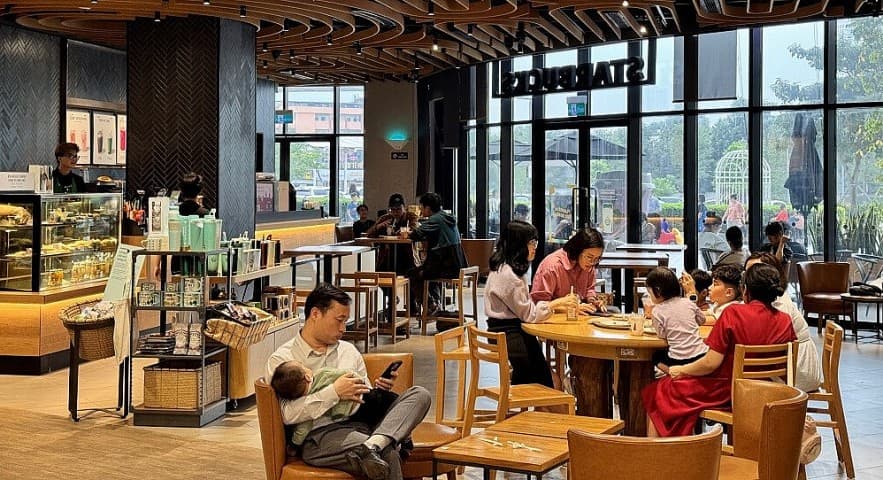
A customer walks into a venue at 10:02, connects to WiFi, stays for 45 minutes, and leaves. Three days later, they come back and connect again.
If you only look at the WiFi system, this may be nothing more than two login events.
But through the lens of Presence Intelligence, those events can become signals that help a business understand how customers are present at a physical location.
And this is an important next step for Guest WiFi: not just getting customers online, but turning connectivity into business signals that other systems can actually use.
WiFi Login ≠ Presence Intelligence
A traditional WiFi system usually cares about a few basic questions:
- Was the device authenticated?
- When did the session start?
- When did the session end?
- Was access granted?
These events are useful for network operations, but they are not Presence Intelligence yet.
Presence Intelligence begins when network events are put into the context of time, location, and presence history to create more meaningful signals.
| Traditional WiFi | Presence Intelligence |
|---|---|
| Connected or not | When the device appeared |
| One authentication event | A sequence of presence events |
| One session | Patterns across multiple sessions |
| Connectivity | Business signal |
| Network-centric | Venue / customer-centric |
In other words, Presence Intelligence is not simply about collecting more WiFi data. It is about interpreting network events as signals of presence.
From a WiFi Session to a Presence Signal
A simple flow can look like this:
Device connects
      ↓
Authentication
      ↓
Session starts
      ↓
Network events / heartbeat
      ↓
Session ends
      ↓
Presence event
      ↓
Aggregated presence pattern
From these events, a system can derive signals such as:
- First seen: when a device was first observed at a venue.
- Last seen: the most recent time the device was observed.
- Session duration: how long a session lasted.
- Visit frequency: how often a device appears within a given period.
- Returning presence: whether a device comes back after previous visits.
- Time-of-day pattern: when a device tends to appear.
- Venue presence: the presence of a device at a specific location.
Each signal by itself may not tell you much. Aggregated over time, however, they can become a new layer of data for physical businesses.
What Business Signals Can One Device Create?
Presence Intelligence can be viewed in three layers.
1. Real-time Signals
These describe what is happening right now:
- A device just connected.
- A device currently has an active session.
- A session just ended.
- A device just appeared at a venue.
These signals are useful for use cases that need real-time responses.
2. Behavioral Signals
When multiple sessions are viewed together, the system can identify patterns such as:
- A device returning repeatedly.
- Visit frequency increasing or decreasing.
- Presence duration showing a consistent pattern.
- Groups of devices appearing during particular time windows.
This is no longer just network telemetry. It starts becoming behavioral context for a venue.
3. Aggregated Signals
At a higher level, businesses may care about aggregated metrics such as:
- Traffic by time of day.
- Returning presence trends.
- Session duration distribution.
- Daily or weekly presence trends.
- Changes in traffic across locations.
These signals can support operations, marketing, loyalty, and customer engagement decisions.
You Don't Necessarily Need to Know Who the Customer Is
This is an important distinction.
Presence Intelligence does not necessarily mean identifying the customer's real-world identity.
For example, a business does not necessarily need to know:
“John Doe is currently in the venue.”
In many use cases, a privacy-first model may only need:
Anonymous Device
       +
Secure Token
       +
Venue Context
       +
Presence Events
The system can still recognize an appropriate pattern, such as:
“A device has returned to this venue multiple times this month.”
This approach separates presence intelligence from collecting unnecessary personally identifying information.
A real-world architecture still needs to consider consent, data minimization, retention, security, and tenant isolation. For multi-merchant platforms in particular, data belonging to one tenant should not automatically become data belonging to another tenant.
From Presence Signal to Business Action
Presence Intelligence becomes useful when signals can lead to an appropriate action.
A simple flow might look like this:
Presence detected
       ↓
Business rule
       ↓
Relevant action
       ↓
Voucher / Loyalty / Benefit / Automation
For example:
F&B
A frequently returning customer may become eligible for a loyalty benefit or a relevant offer.
Retail
Returning presence can become a trigger for a CRM or loyalty platform to execute a predefined campaign.
Shopping Mall / Venue
Presence patterns can help businesses understand traffic and operating periods across different areas.
Partner Ecosystem
Presence at merchant A can become a signal for checking eligibility for a benefit from partner B, without requiring the customer to complete several additional manual steps.
The key point is that Presence Intelligence does not automatically create revenue. It creates a signal layer that other business systems can use to trigger an action.
Physical Businesses Need an Event Layer Too
In digital businesses, we are already familiar with tracking:
Page view
   ↓
Click
   ↓
Session
   ↓
Conversion
Physical businesses can start looking at a similar model:
Presence
   ↓
Session
   ↓
Visit pattern
   ↓
Engagement
   ↓
Business action
The difference is that these events do not happen on a website or inside a mobile app. They happen in a physical venue.
WiFi is one infrastructure layer capable of generating these events because the network already sits between the device and the place where the customer is using the service.
This is also why WiFi can become more than a free utility for guests.
How IWAS Thinks About Presence Intelligence
For IWAS, WiFi, RADIUS, and network infrastructure are input layers. The long-term value sits in the intelligence built above them.
Router / RADIUS
       ↓
IWAS Core
       ↓
Presence Events
       ↓
Presence Intelligence
       ↓
Business Systems
       ↓
Automation / Partner Actions
This creates a different way of looking at WiFi.
Instead of only asking:
“How do we get customers connected to WiFi faster?”
we can also ask:
“What signals about presence at a venue does connectivity make possible?”
And then:
“How can those signals be used while still respecting customer privacy?”
Beyond Guest WiFi
Guest WiFi used to be the endpoint: customers connect, use the Internet, and leave.
But when network events are combined with context, history, and business rules, connectivity can become the starting point for a new data flow:
Guest WiFi → First-party Data → Presence Intelligence → Business Action
That may be the next step for WiFi Marketing: moving from simply getting customers online to understanding the presence signals that connectivity makes possible, then turning those signals into more relevant experiences and automation.
The next generation of WiFi isn't only about getting people online. It's about understanding the presence signals that connectivity makes possible.
Further reading: want to ask an AI about your venue's WiFi data? See how to connect IWAS MCP to ChatGPT, Claude, Cursor and Antigravity (OAuth 2.1, or stdio with Device Flow).
IWAS is guest WiFi management software for cafes: guests get online through a login page (captive portal), the cafe sets its own plans by time, speed and data, and guests can buy more time with VietQR through the cafe's own PayOS account. IWAS works with MikroTik (RouterOS v7 or newer), OpenWrt and UniFi routers. Learn more about IWAS.