The short version: a cafe with several branches can run IWAS two ways. One shared account means you create WiFi plans once and a guest who bought time at one branch can keep using it at another, but revenue and staff access cover the whole chain. One account per branch keeps everything separate, at the cost of setting up plans in each one. This post helps you pick, and is upfront about today's limits so nothing surprises you later.
Your first cafe is running smoothly. Guest WiFi has a proper login page, people who stay longer buy more time with VietQR, and in the evening you check on your phone how the day went. Then you sign the lease on a second spot a few streets away. Somewhere on the list between the espresso machine, the furniture and hiring, there's a small line: "Guest WiFi at the new place?"
It sounds like a small question, but it touches things every owner cares about: will both branches charge the same, who gets to see the money, what new staff can see, and what you'll pay each month. Let's go through it.
What "one account" means in IWAS
In IWAS, each venue account is called a workspace. Everything lives inside it: routers, the WiFi plans you sell, discount vouchers, the activation codes guests bought, the Payments page and your staff list.
A few things to know before you choose:
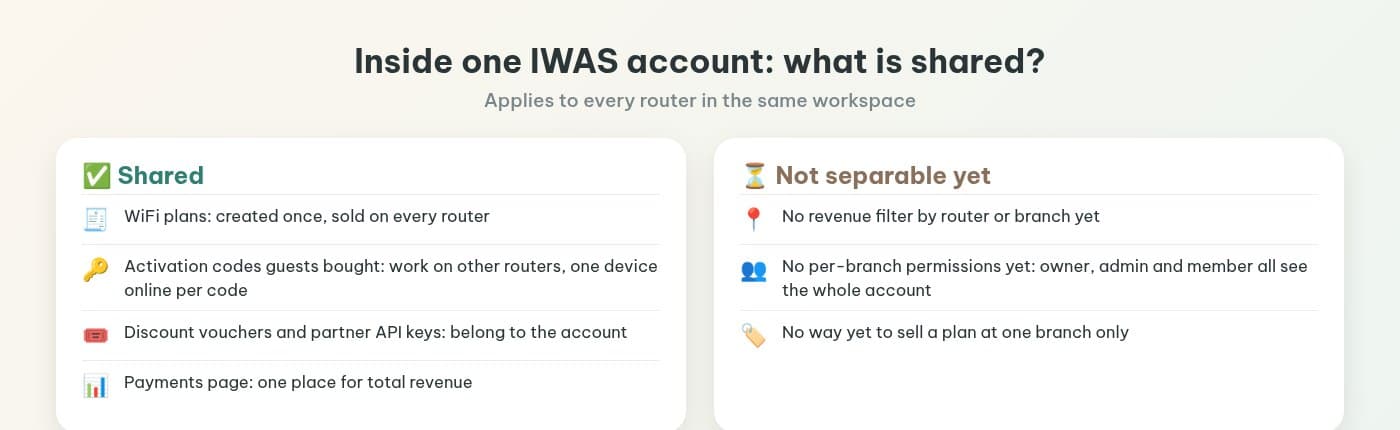
- WiFi plans belong to the workspace, not to a router. Create a "2 hours" plan once and every router in the workspace sells it.
- Activation codes are shared within the workspace. A code bought on one router works on another router in the same workspace, with one device online per code at a time.
- Reports are per workspace. The Payments page and revenue reports let you filter by status, purpose and search, and group by hour or plan, but there's no filter by router or branch yet.
- Staff see the whole workspace. There are three roles, owner, admin and member, and no per-branch permissions yet.
The technical side (routers connect to a cloud RADIUS, no static IP, no server in the shop) is covered in do small venues need their own RADIUS server. For this decision, just remember that every branch's router connects to the same place, so the choice is really about how you group them.
Option 1: one account for the whole chain
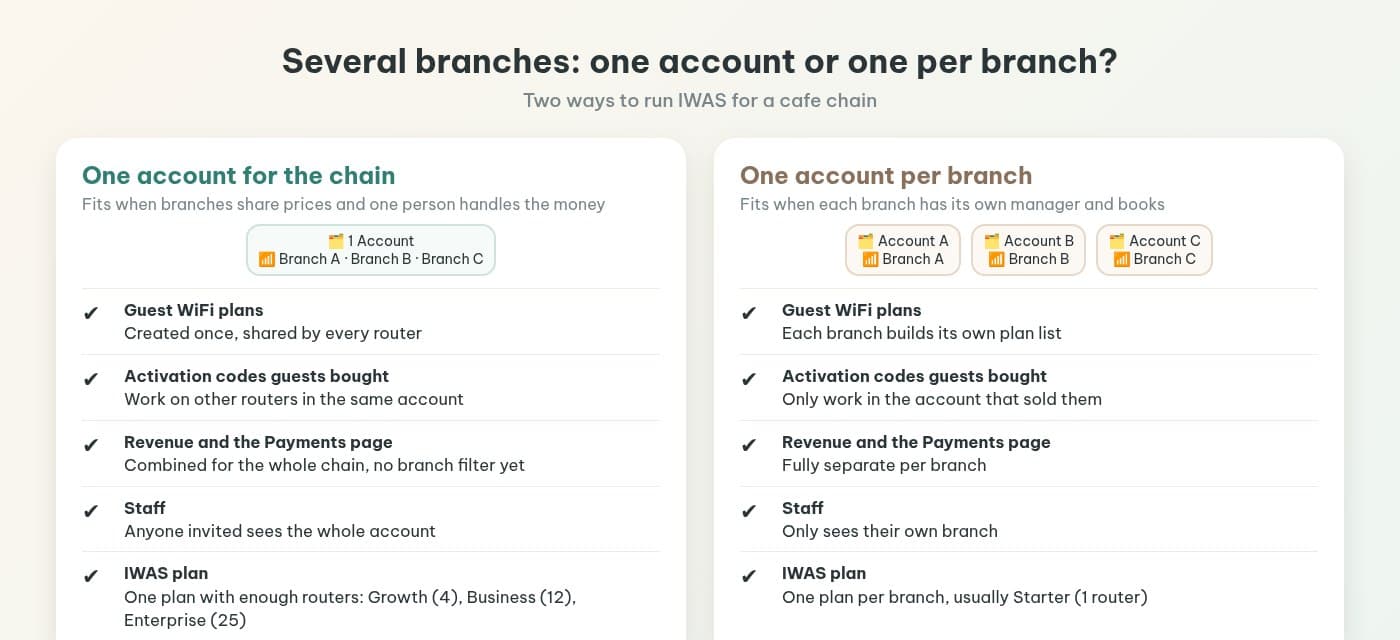
A good fit when your branches sell the same WiFi plans at the same prices, one person (usually you) handles the money, and regulars visit more than one branch.
What you get:
- Create plans, change prices and edit the login page once for everyone.
- A guest buys 3 hours at branch A and keeps going with the same activation code at branch B that afternoon.
- One place to see total WiFi revenue for the chain.
Good to know:
- Revenue is combined for now, so the Payments page can't show how much branch A sold versus branch B.
- A manager you invite for branch B will also see branch A's numbers.
- Every router sells every plan; you can't yet say "this plan is only sold at branch A".
For the IWAS plan, each branch usually has one router as its gateway, so pick by router count: Growth for up to 4 routers, Business up to 12, Enterprise up to 25.
Option 2: one account per branch
A good fit when each branch has its own manager and its own till, WiFi prices differ by location, or you run a franchise where each owner needs their own books.
What you get:
- WiFi revenue fully separate per branch, so daily reconciling never mixes up.
- Staff only see their own branch.
- Each branch sets its own plans and prices for its own guests.
Good to know:
- Plans and the login page are set up in each account.
- Codes bought at one branch don't work at another.
- Each account has its own IWAS plan. A one-router branch fits Starter: 249,000 VND a month, 1 router, 5,000 guest sessions a month.
Quick comparison
| One account for the chain | One account per branch | |
|---|---|---|
| Guest WiFi plans | Created once, shared by every router | Each branch builds its own plan list |
| Activation codes guests bought | Work on other routers in the same account | Only work in the account that sold them |
| Revenue and the Payments page | Combined for the whole chain, no branch filter yet | Fully separate per branch |
| Staff | Anyone invited sees the whole account | Only sees their own branch |
| IWAS plan | One plan with enough routers: Growth (4), Business (12), Enterprise (25) | One plan per branch, usually Starter (1 router) |
There's no single right answer for every chain. A simple test: ask yourself "at the end of the month, do I need to know how much WiFi each branch sold?" If yes, and that number matters more than the convenience of shared plans, split the accounts. If you only need the total and want guests to get the same experience everywhere, share one.
Picking an IWAS plan by router count
All four plans are monthly. Sessions are guest logins per month across the whole account.
| Plan | Price/month | Routers | Guest sessions/month | Main difference |
|---|---|---|---|---|
| Starter | 249,000 VND | 1 | 5,000 | One venue, one router |
| Growth | 990,000 VND | 4 | 25,000 | Adds white-label (remove IWAS branding) |
| Business | 2,990,000 VND | 12 | 75,000 | Adds partner tools, chat support 8x5 |
| Enterprise | Contact us | 25 | 150,000 | Adds a dedicated VPN IP range, unlimited vouchers, 24/7 support |
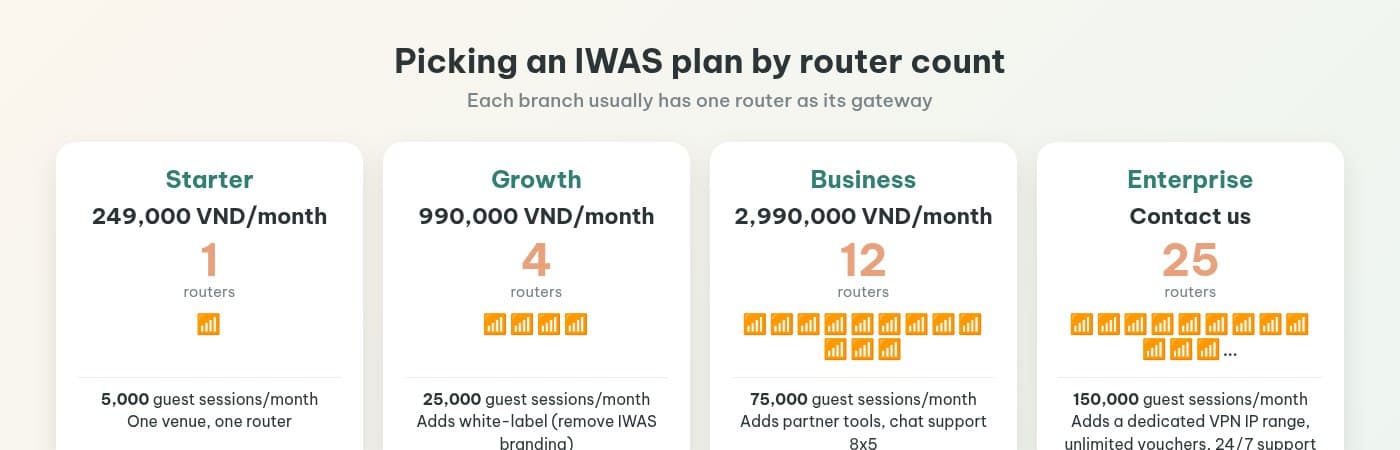
Enterprise has no listed price; contact IWAS for a quote. Starter, Growth and Business all come with a 14-day free trial, so try it with one or two branches before you commit.
Before you switch on WiFi at a new branch
- Router: IWAS works with MikroTik (RouterOS v7 or newer), OpenWrt and UniFi. Connecting a router is covered in install a captive portal with PayOS on MikroTik in 15 minutes.
- Login page: if you're not sure what guests see when they join, read what a MikroTik captive portal is.
- Where the money goes: guests pay with VietQR through the cafe's own PayOS account. Reconciling is covered in collecting cafe WiFi payments with VietQR.
- Opening-day checklist: run through the owner's WiFi checklist for setup and daily operation for each branch.
- Keep an eye on several branches without opening the dashboard: you can connect IWAS to ChatGPT or Claude over MCP and ask about the account's revenue or who's online.
- Vouchers from your POS: if the chain wants to print WiFi plan discount codes on receipts, see the partner voucher API guide. API keys also belong to the account, not to a branch.
Frequently asked questions
Can a cafe with 3 branches use one IWAS account?
Yes. One account (workspace) holds several routers, and a WiFi plan you create once works on every router in it. With 3 branches and one router each, you need a plan with at least 3 routers, for example Growth (4 routers, 990,000 VND/month).
Can a guest who bought time at one branch keep using it at another?
Yes, if both branches are in the same account. An activation code works on other routers in the same account, with one device online per code at a time. If each branch has its own account, codes don't carry over.
Can I see WiFi revenue per branch?
Not yet. The Payments page and revenue reports cover the whole account. You can filter by status, purpose and search, and group by hour or plan, but there's no filter by router or branch yet. If you need fully separate revenue, give each branch its own account.
Can I limit staff to their own branch?
Not yet. An account has three roles, owner, admin and member, and anyone you invite sees the whole account. If staff should only see their own branch, use one account per branch.
Can I sell a WiFi plan at one branch only?
Not yet. WiFi plans belong to the account, so every router in it sells the same plan list. If a branch needs its own prices, give it its own account.
How much is the Enterprise plan?
Enterprise (25 routers, 150,000 sessions a month) has no listed price; contact IWAS for a quote. The others are Starter 249,000 VND, Growth 990,000 VND and Business 2,990,000 VND a month.
Which routers does IWAS work with?
MikroTik (RouterOS v7 or newer), OpenWrt and UniFi. You can try it free for 14 days before picking a plan.
Wrapping up
Opening another branch doesn't mean rebuilding your WiFi from scratch. If your branches share prices and you only need the total, one account is the tidiest. If each branch needs its own books and its own manager, give each one its own account. Per-branch revenue and per-branch staff permissions aren't available yet, so choose based on what the product does today.
IWAS is guest WiFi management software for cafes: guests get online through a login page (captive portal), the cafe sets its own plans by time, speed and data, and guests can buy more time with VietQR through the cafe's own PayOS account. IWAS works with MikroTik (RouterOS v7 or newer), OpenWrt and UniFi routers. Learn more about IWAS.
Want to try it for your chain? Start a 14-day IWAS trial and see the plans at getiwas.com.