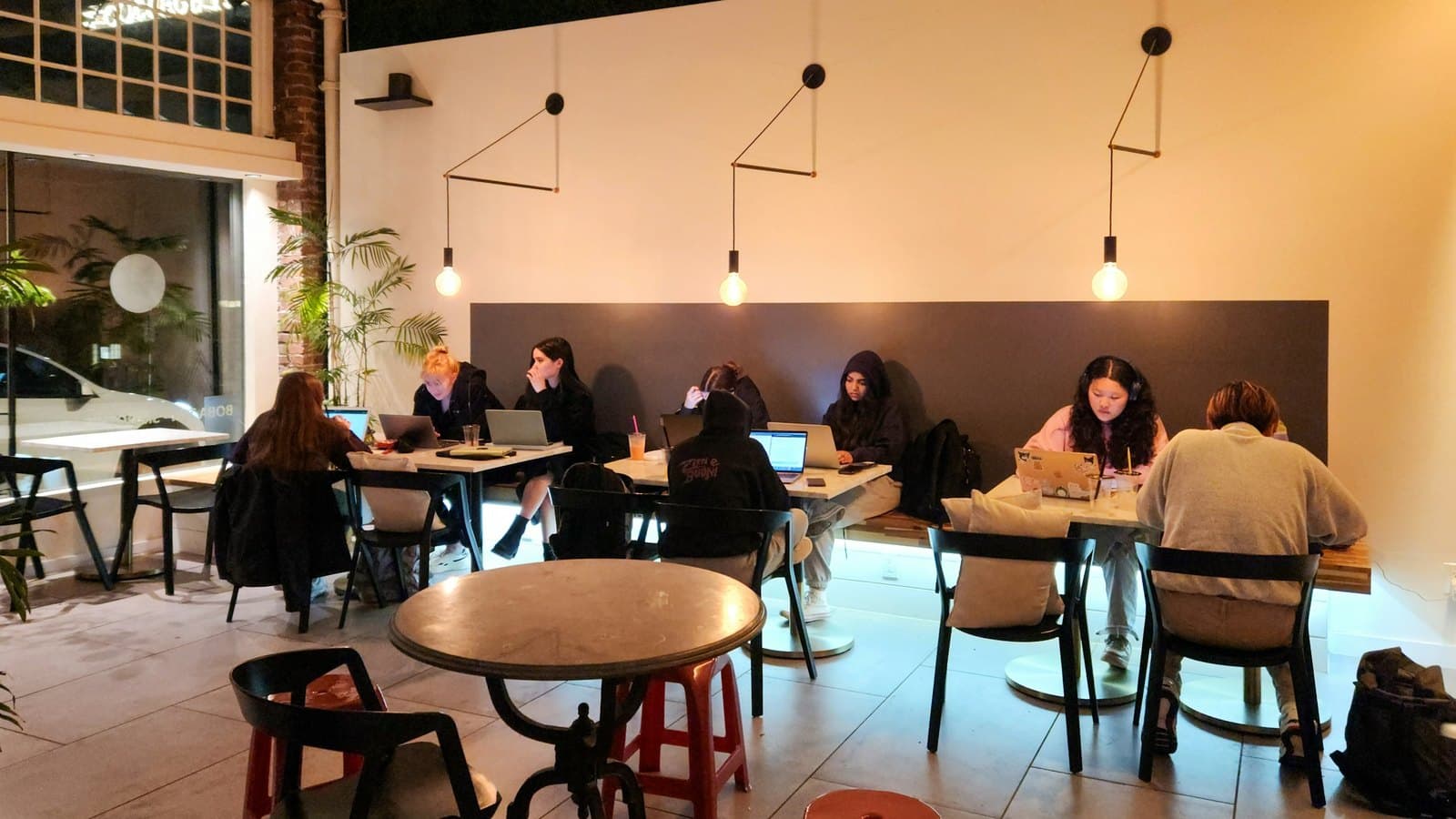
Lunchtime comes and every table is taken. New customers walk in, look around, and leave, while a few regulars have been parked since morning with one coffee and a laptop. That's usually when owners start thinking about limiting WiFi at busy times, and worrying about upsetting people.
Here are the 8 questions we hear most about it. Each one starts with a short, direct answer, followed by a few tips for putting it to work in your own cafe.
Should a cafe limit WiFi during peak hours?
Yes, if your tables regularly fill up at peak times and some guests stay for hours without ordering more. Per-session WiFi limits help tables turn over naturally, without staff having to say anything. If your cafe is quiet or most people take their drinks to go, you don't need strict limits yet.
The easiest way to tell is to watch for a few days: when do people end up waiting for a table, and are the longest-staying tables the ones on WiFi? If you only fill up now and then, keep WiFi relaxed. Your regulars will appreciate it.
How long should free WiFi last during peak hours?
There's no single right number. Start with how long guests usually take to finish a drink at busy times, say 60 minutes, then watch it for a week. Quiet hours can be more generous. Most important, guests should see the limit up front on the WiFi sign-in page.
Treat 60 minutes as a starting point, not a rule. A cafe full of students studying will look very different from one next to an office block. Our guide on how long free WiFi should last has more ideas for picking that first number.
Should I limit time or speed during peak hours?
A time limit is easy for guests to understand and fits the goal of turning tables. A speed limit makes sense when you want to stop a few heavy downloads from slowing everyone down. Many cafes combine both: a free session with a clear time limit and enough speed for chat, browsing and light video calls.
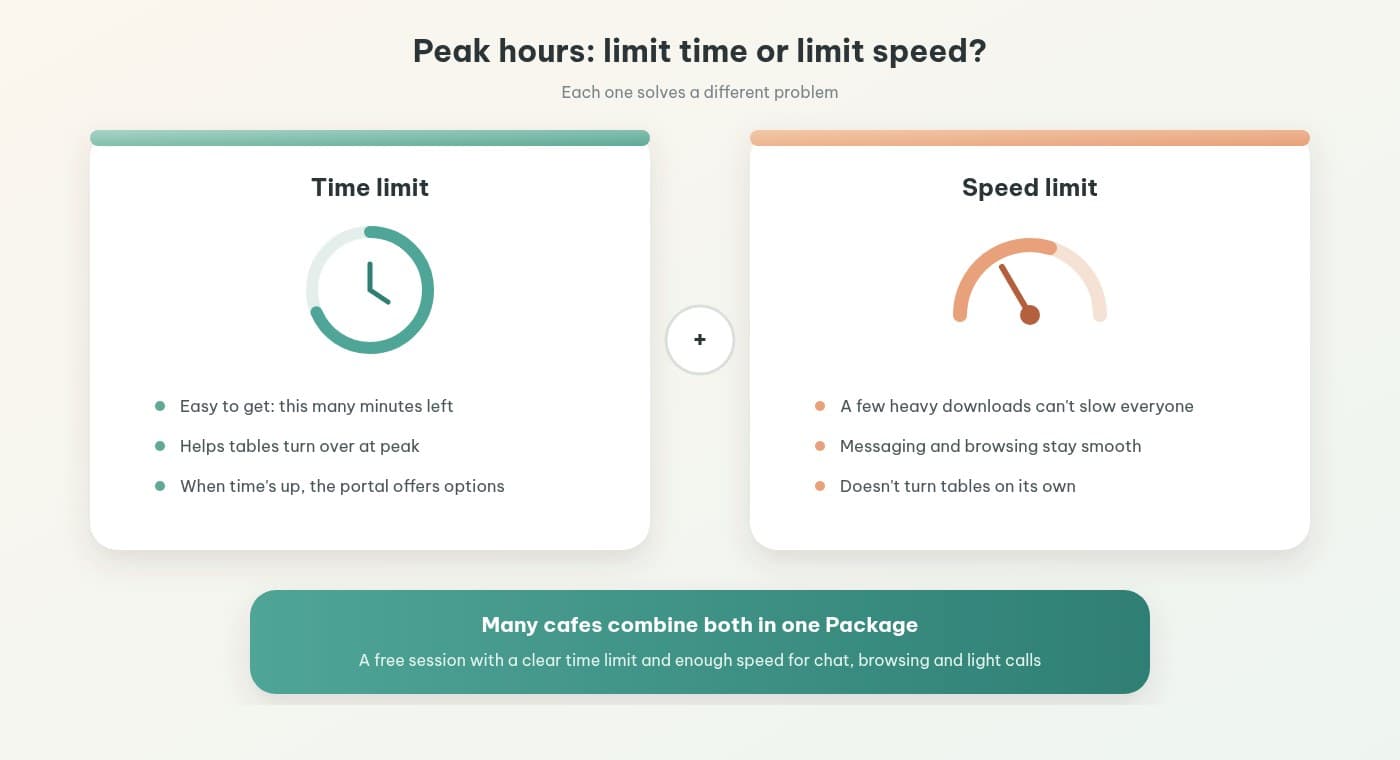
In IWAS, time, speed and data all live in one Package, so you only adjust one place. See setting time and speed in a Package for the steps.
How do I tell guests their WiFi time is almost up without annoying them?
Show the free time clearly on the sign-in page and at the counter, and word it as an invitation, not a warning. When a session ends, the portal should offer clear choices: stop here, buy more time, or enter a voucher the cafe hands out with another order. When guests choose for themselves, it rarely feels like being shown the door.
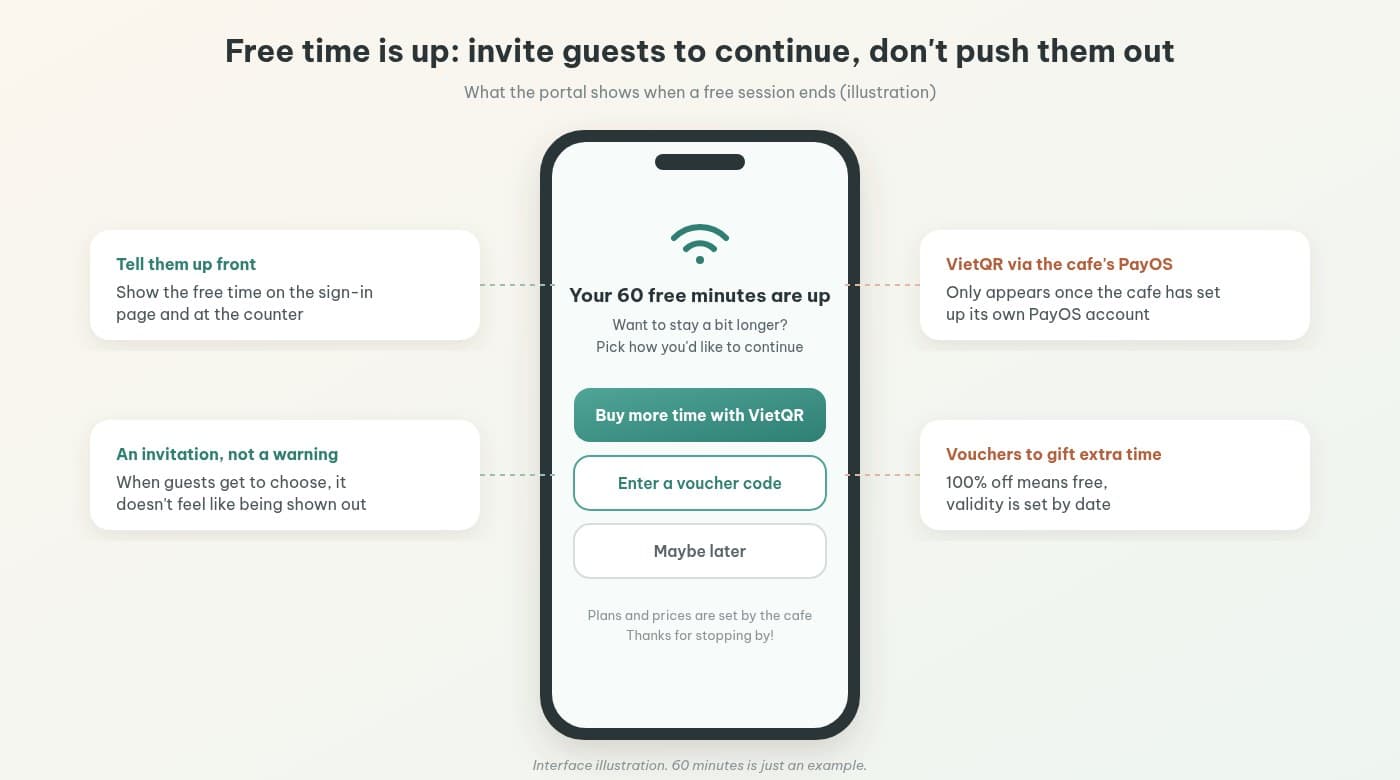
Wording matters more than you'd think. "Want to stay a bit longer?" lands much better than "Your session has expired." Our piece on the one-drink-all-day guest has more examples.
Want to try this on your own cafe WiFi? Try IWAS free for 14 days, then the Starter plan is 249,000 VND per month per location. IWAS works with MikroTik (RouterOS v7 or newer), OpenWrt and UniFi. Start your free trial
What if a guest needs to stay longer?
If your cafe has set up its own PayOS account, guests can buy more time with VietQR right on the portal: pick a plan, scan with their banking app, and the session continues once payment goes through. You set the plan prices and durations. To gift extra time, hand out a 100% voucher.
Without PayOS set up, the portal won't show a QR code. You can still hand out vouchers at the counter, or take payment at the counter and have staff use manual confirm. How selling extra WiFi time with a QR code works walks through the guest side step by step.
Should I change the WiFi password at peak time to get long-stayers to leave?
No. Changing the password disrupts guests who just arrived, keeps staff busy answering the same question, and the new password spreads quickly anyway. A captive portal on MikroTik works per session, so each guest's time starts when they sign in and you never have to cut everyone off at once.
Changing the password mid-rush is like switching off the lights in the whole cafe to nudge one table. If you're rotating it daily, our comparison of changing the password every day vs a captive portal goes deeper.
Does cafe WiFi have to be cheaper than 4G for guests to buy more time?
No. Mobile data plans are already cheap, so don't try to compete with 4G on price. Guests buy more WiFi time because they're in the middle of something at the table and want to stay, like work on a laptop. Price it around time at the table and the experience, not against data plans.
Guests switching to 4G is perfectly fine. Our guide on when to sell extra time and when not to helps you decide whether it fits your cafe.
Does IWAS change WiFi rules automatically at peak hours?
Not yet. IWAS doesn't have a schedule that switches Packages by time of day. You set the time, speed and data for each Package, then switch Packages by hand when peak hours start and end. Vouchers can only be set to valid dates, not specific hours within a day.
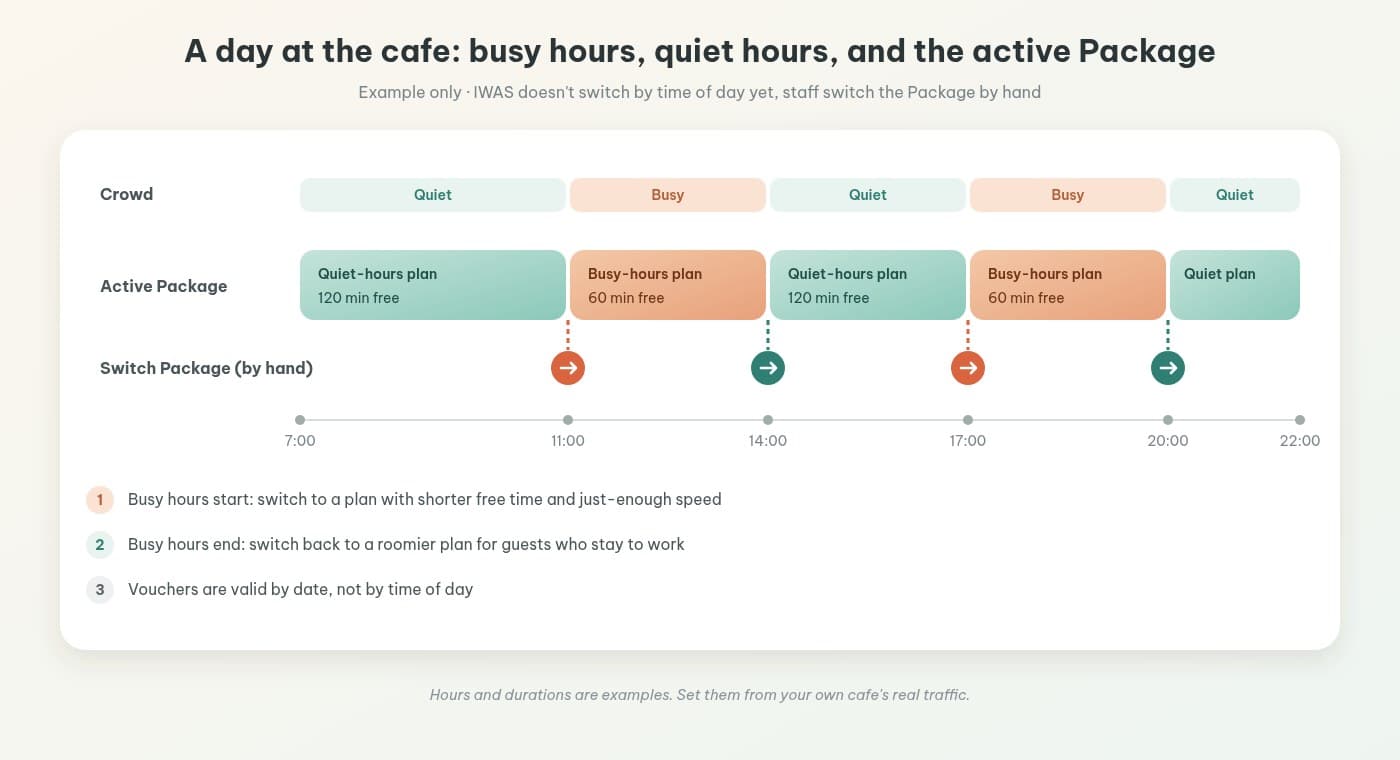
The simplest setup is two ready-made Packages, one for busy hours and one for quiet hours, with whoever runs the shift switching between them. Add it to your shift-change checklist so it doesn't get missed.
Next steps
If your cafe runs a MikroTik router on RouterOS v7 or newer, getting started is quick: the router connects to IWAS through ZTP, with no static IP and no RADIUS server to configure yourself. The steps are in installing a captive portal on MikroTik in 15 minutes. Still weighing different ways to charge for and control WiFi? Our guide to hotspot billing for cafes lays out the options.
IWAS comes with a 14-day free trial, then costs 249.000đ per month per location. That's the owner's fee, separate from the WiFi plan prices you set for your guests.
Try IWAS free for 14 days and set up Packages for your busy and quiet hours on your own MikroTik, or visit the IWAS homepage to learn more.
IWAS is guest WiFi management software for cafes: guests get online through a login page (captive portal), the cafe sets its own plans by time, speed and data, and guests can buy more time with VietQR through the cafe's own PayOS account. IWAS works with MikroTik (RouterOS v7 or newer), OpenWrt and UniFi routers. Learn more about IWAS.